
Every medical display. Every site. Under control.
ViziCAL takes the effort out of managing large fleets of medical displays. Bring calibration, routine visual checks, scheduling, overdue alerts and audit-ready QA records together in one multi-site web portal.
- DICOM GSDF calibration
- TG18-based QA checks
- Centralised fleet management
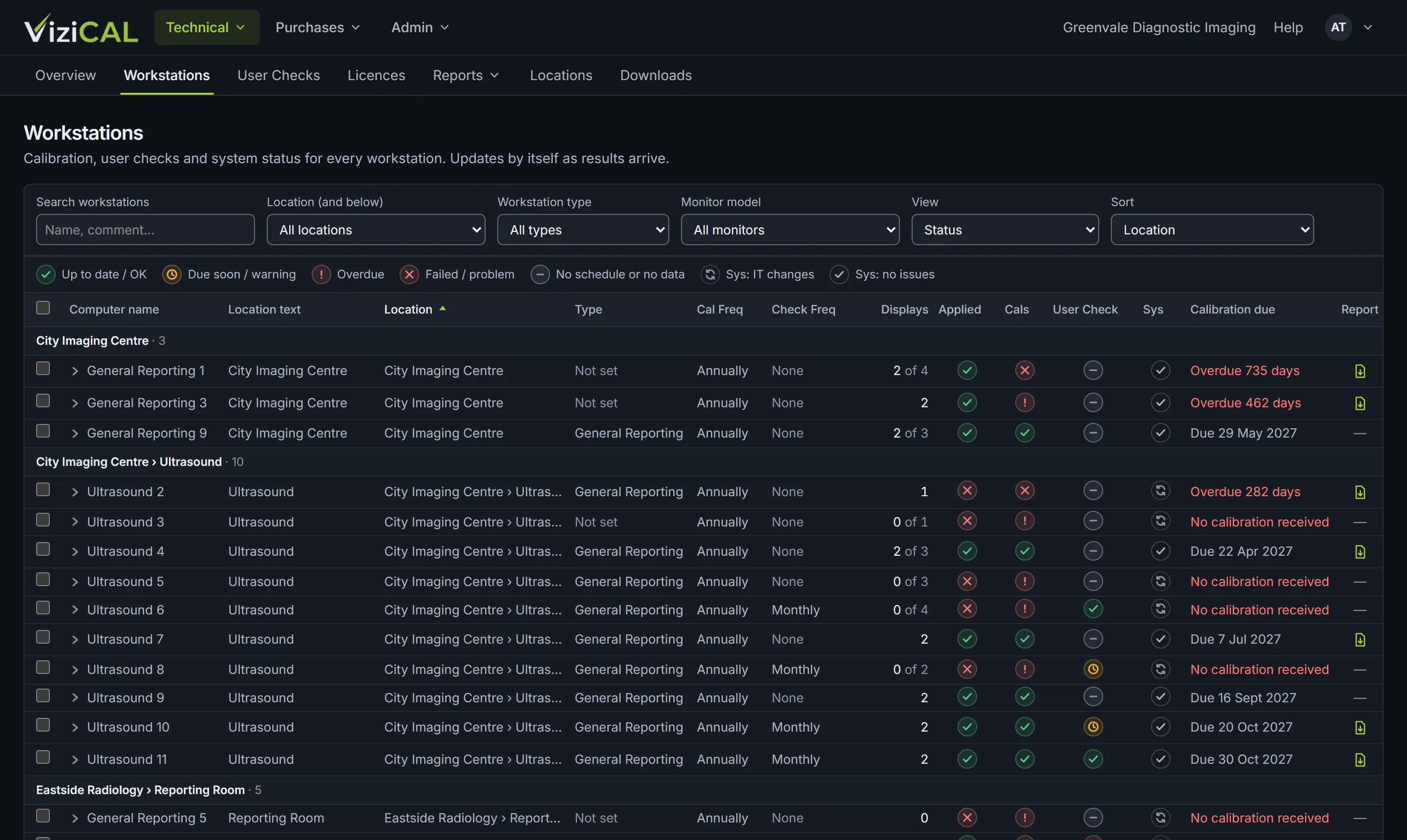
One system. Every display. Every site.
From hundreds of individual checks to one clear picture.
Display QA across a large organisation usually means many workstations, many sites and many places to look. ViziCAL brings it together.
Managing a fleet by hand
- Separate spreadsheets and tracking systems
- Manual reminders and follow-ups
- QA records scattered between sites
- Hard to see which work is overdue
- Time-consuming audit preparation
With ViziCAL
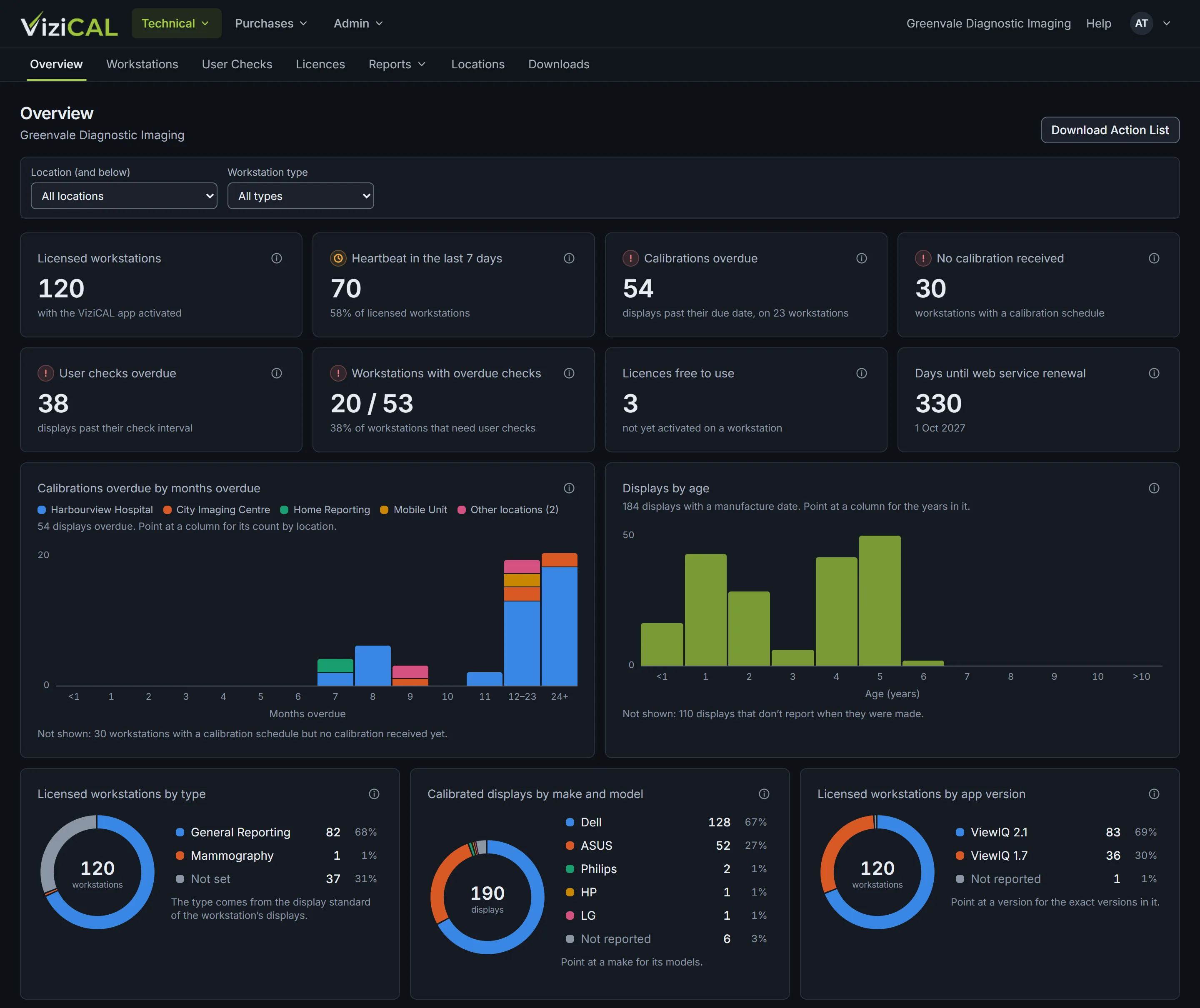
- One dashboard across all your sites
- Calibration and QA history kept in one place
- Schedules and overdue alerts for every workstation
- Clear view of the displays that need attention
- Records organised for accreditation review
How it works
Measure, calibrate, record, oversee
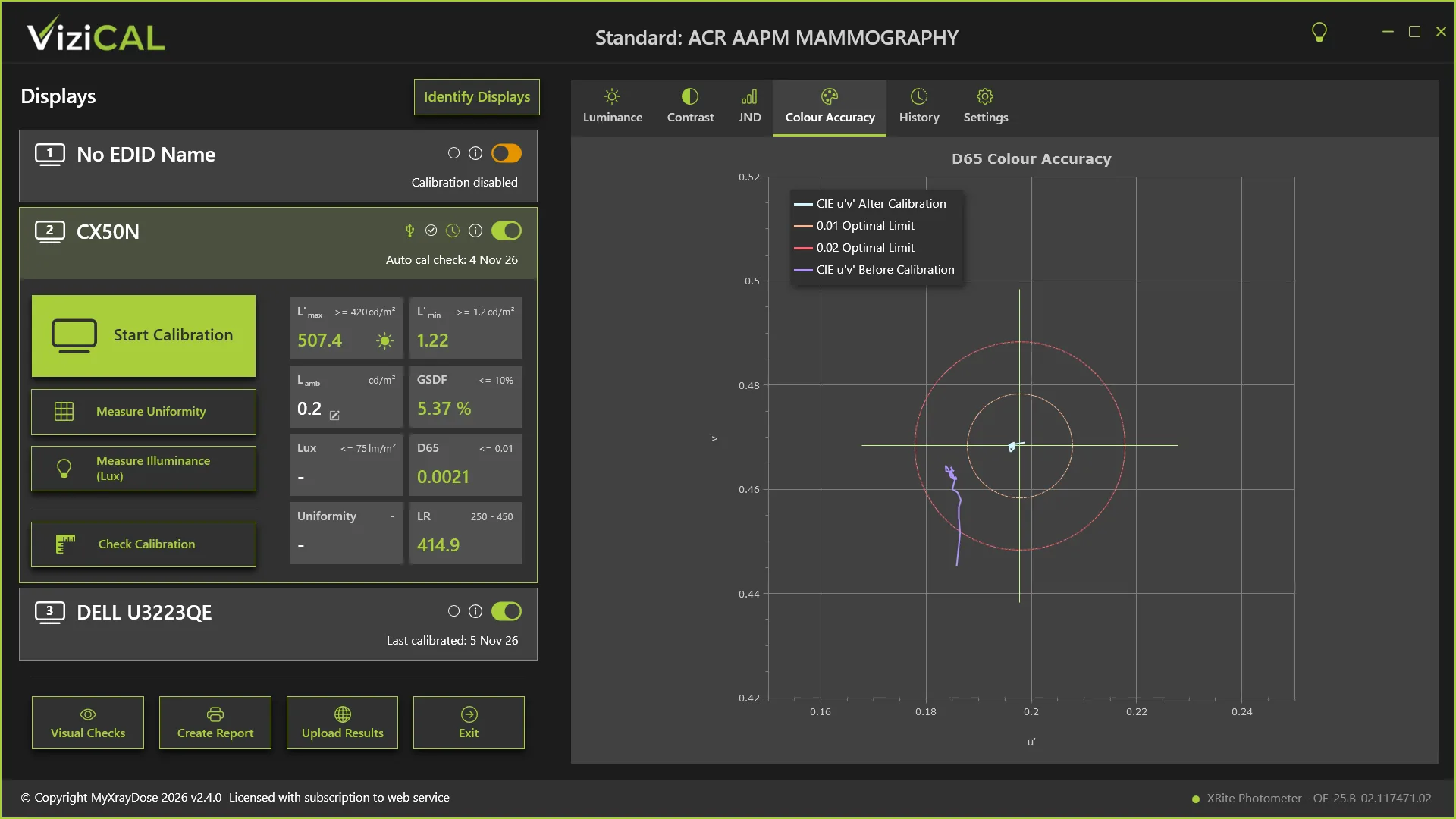
ViziCAL runs on your Windows reading workstations with the ViziCAL Photometer, and reports to one web portal for your whole organisation.
Measure
The photometer measures each display’s luminance response and the reading room’s ambient light.
Calibrate
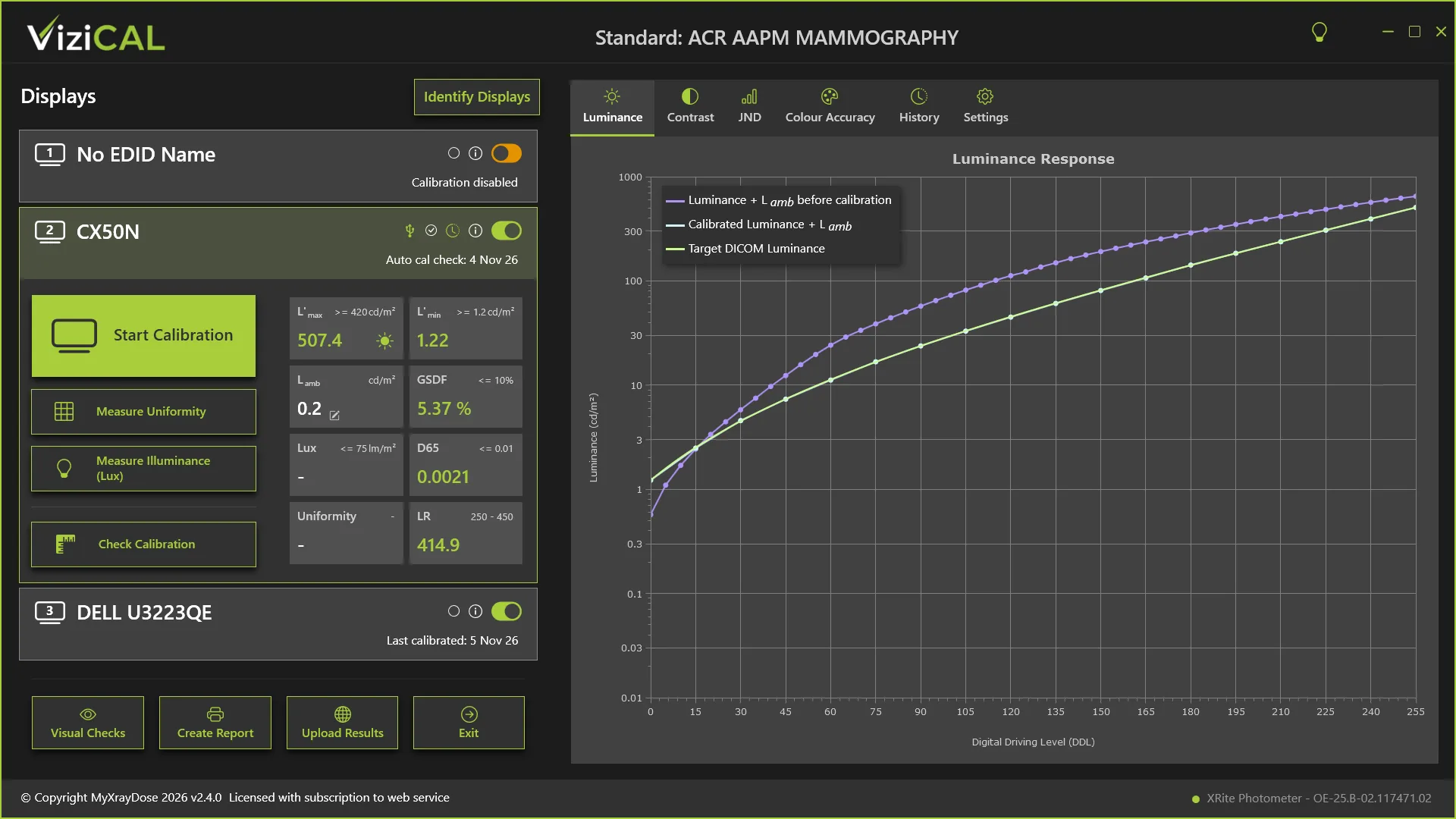
ViziCAL calibrates the display to the DICOM GSDF and checks conformance against the standard you choose.
Record
With web access, results, PDF reports and visual checks reach your web portal, against each workstation and display.
Oversee
Schedules, due-soon and overdue status show your team which displays need attention, at every site.
The detail behind every result
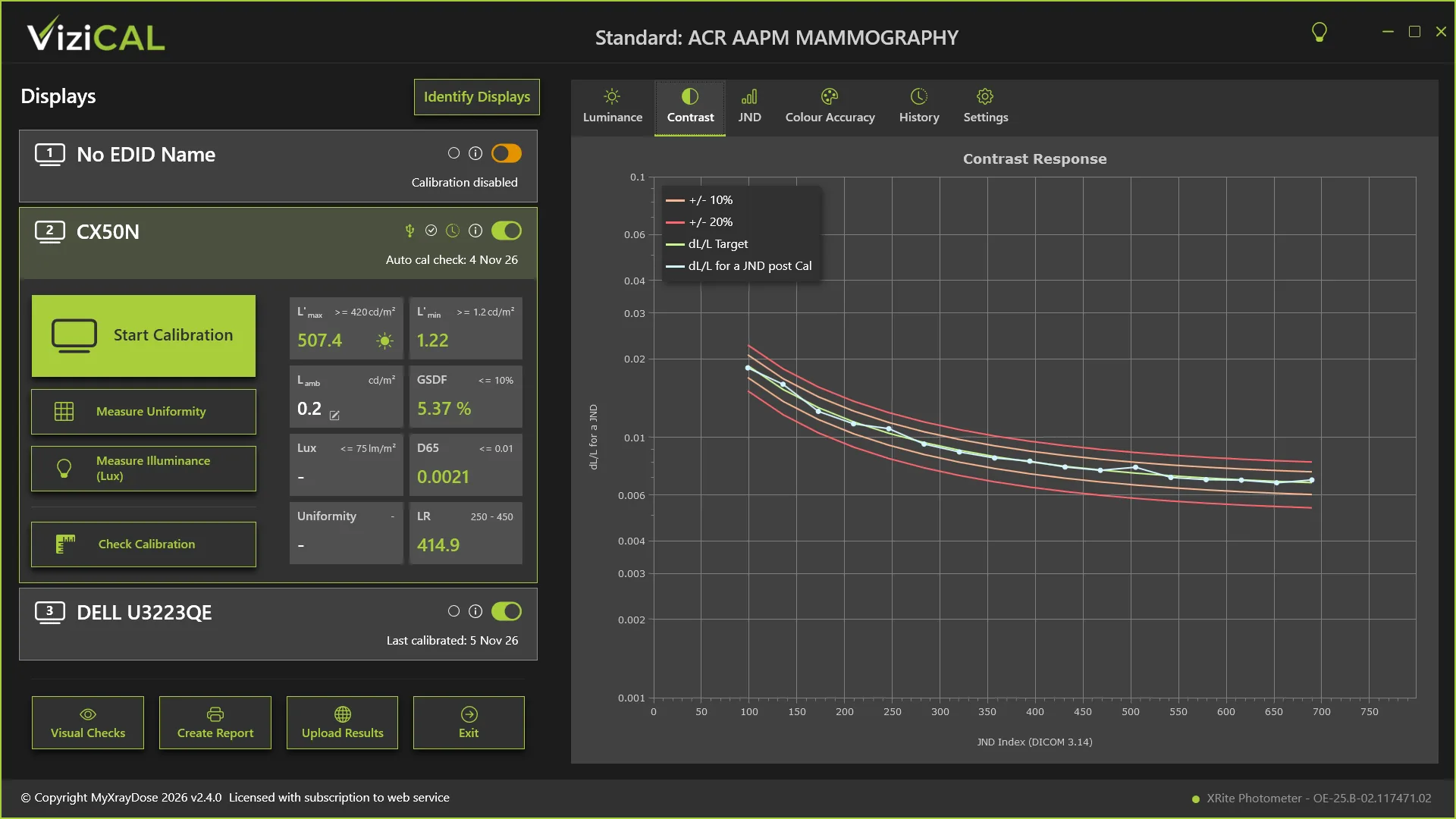
Each calibration is measured and verified on the workstation, and the same figures reach the portal.
Down to each display
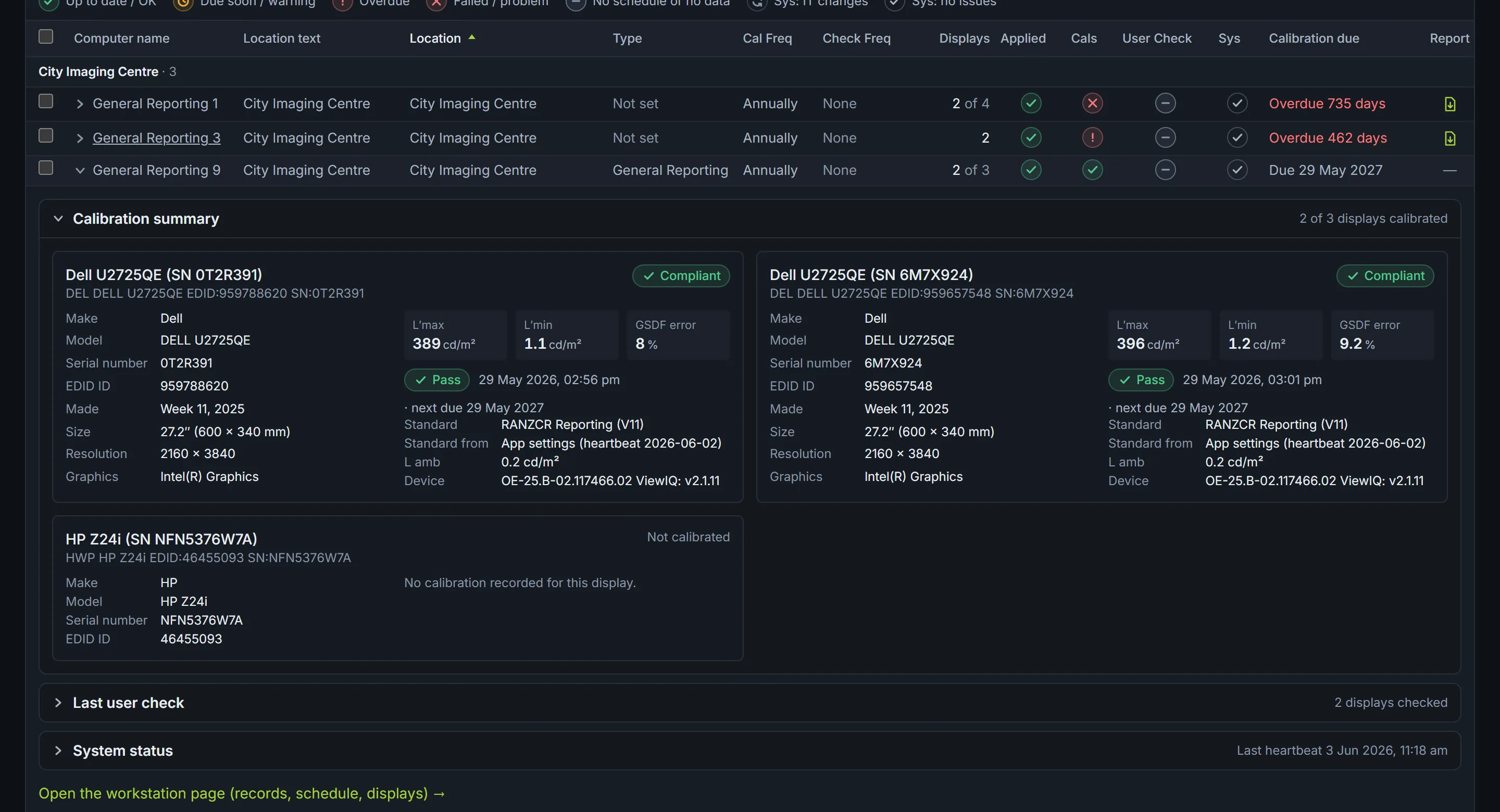
Open any workstation to see what was measured
Every workstation in the list opens to its displays: make, model, serial number, the latest calibration with L′max, L′min and GSDF error, the standard it was measured against and when the next one is due.
What ViziCAL does
Fleet oversight, with the technical detail intact
The portal gives you the picture across sites. Every result behind it is a measured calibration or a recorded check.
Every site in one view
Know what needs attention
Routine visual checks
DICOM GSDF calibration
Measured conformance
Records for accreditation
Who it’s for
For everyone who answers for display QA
PACS and IT administrators
Calibrations applied automatically at Windows sign-in, and every workstation’s status in one portal, so you know which displays need attention without visiting them.
Radiology department managers
What is due or overdue across the whole department, and the records organised by workstation and location, ready to export when a reviewer asks.
- Imaging groups
- Hospitals and health networks
- Medical physicists and QA managers
- Teleradiology providers
- Dental, pathology and colour imaging
- Procurement and finance
Distributors
Local support in your region
ViziCAL is available directly and through distributors who can quote, install and support it for you. With your permission, they can help you inside the portal, and every visit is logged.
From ViewIQ customers
What customers said about ViewIQ
Comments from customers of ViewIQ, the predecessor of ViziCAL.
“ViewIQ has radically streamlined and simplified our company's monitor compliance, not only saving time and money but for the first time a product that provides all the tools and automation we needed.”
“Just want to say also well done on this software, I am having no trouble using it & appreciate how well it just works as it should”
“Fantastic calibration software. Produces better results and calibrates in a fraction of the time compared to the software we were using.”
Colour medical imaging
Colour you can trust, on every screen
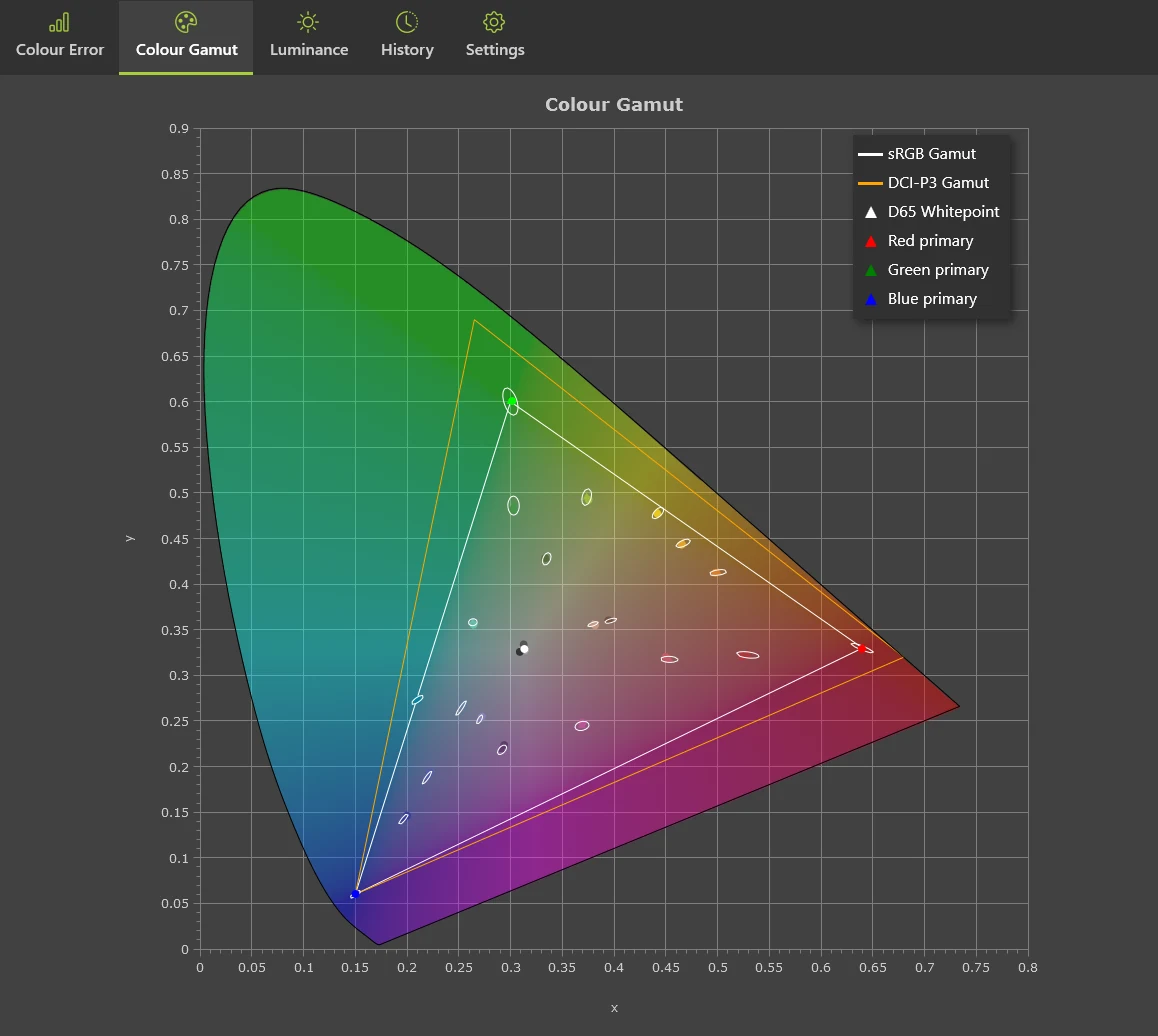
Dental, pathology, endoscopy, ophthalmology and dermatology teams judge colour photographs on screen. ViziCAL calibrates each colour display to sRGB and measures the result: average and maximum ΔE2000 and gamut coverage, passed or failed after every calibration.
See how ViziCAL manages an entire display fleet
Book a demonstration of the portal and the app, or request a quote for your workstations.