
Features
Every display, every site, every record in one place
Fleet visibility for the people who manage display QA, built on measured DICOM GSDF calibration.
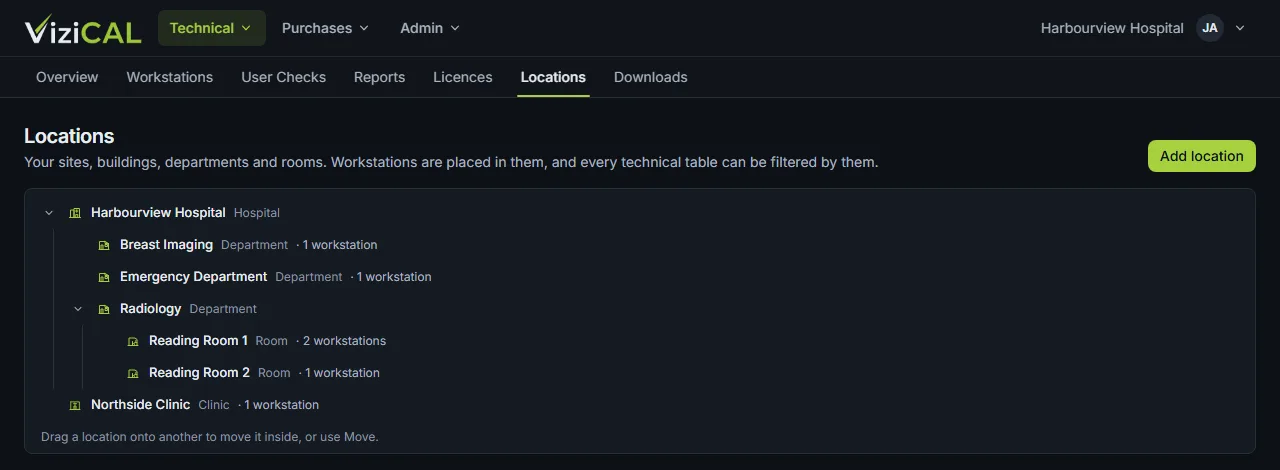
Manage every display across every site
The web portal holds every workstation and display in your organisation, placed in your own hierarchy of sites, buildings, departments and rooms, with the status of each one.
Details
- A location tree you define: hospitals, clinics, departments, reading rooms, home reporting
- Every technical table filtered by location (including everything below it) and by workstation type
- Workstation records with their displays: make, model, serial number and calibration standard
- A heartbeat from each workstation shows that ViziCAL is running and calibrations are applied
Know what needs attention
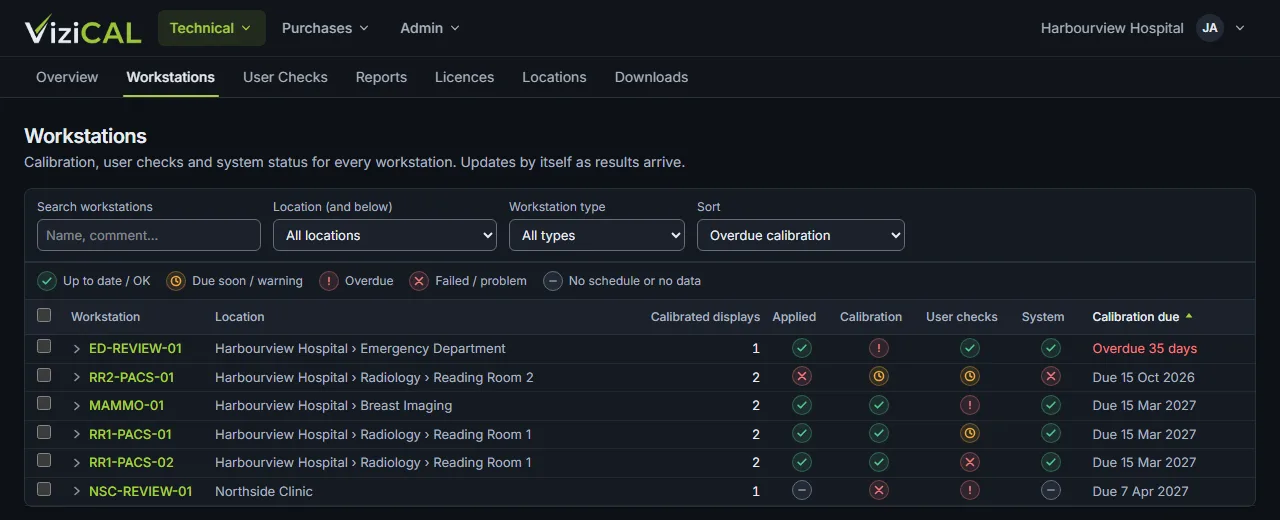
Calibration and check schedules are set per workstation. The portal shows what is up to date, due soon, overdue or failed, so your team can act before an audit finds it.
Details
- Status for calibration, applied calibration, user checks and system health on every workstation
- Overview of overdue user checks and workstations with overdue checks, by location
- A daily email of overdue work to your administrators and technical staff
- Reminders on the workstation itself when a check is due
Simplify routine QA
Calibration and routine checks follow the same guided steps on every workstation, and the results are collected centrally instead of in local files.
Details
- Guided calibration with the ViziCAL Photometer, and checks of an existing calibration
- Calibrations applied automatically when users sign in to Windows
- TG18-based visual checks: low-contrast patterns in dark, mid-grey and bright regions, room lighting and reflections
- Who did each check, when, the results and comments
- Scheduled automatic checks on displays with a built-in photometer (LG and WIDE)
Demonstrate technical conformance
Every calibration is verified and measured, so you can show that a display meets its standard, not only that it was calibrated.
Details
- Calibration to the DICOM PS3.14 Grayscale Standard Display Function (GSDF)
- Target minimum and maximum luminance per display, with ambient light taken into account
- GSDF error, luminance, luminance uniformity and white point relative to D65
- Pass or fail against the acceptance criteria of the standard you choose for each display
- Preset criteria based on published ACR–AAPM, RANZCR, RCR and DIN guidance
Prepare for accreditation
Records are organised by workstation and location, ready to export when a reviewer asks for them.
Details
- A PDF report for each calibration, stored against the workstation
- A compliance report (PDF) of calibration and check status
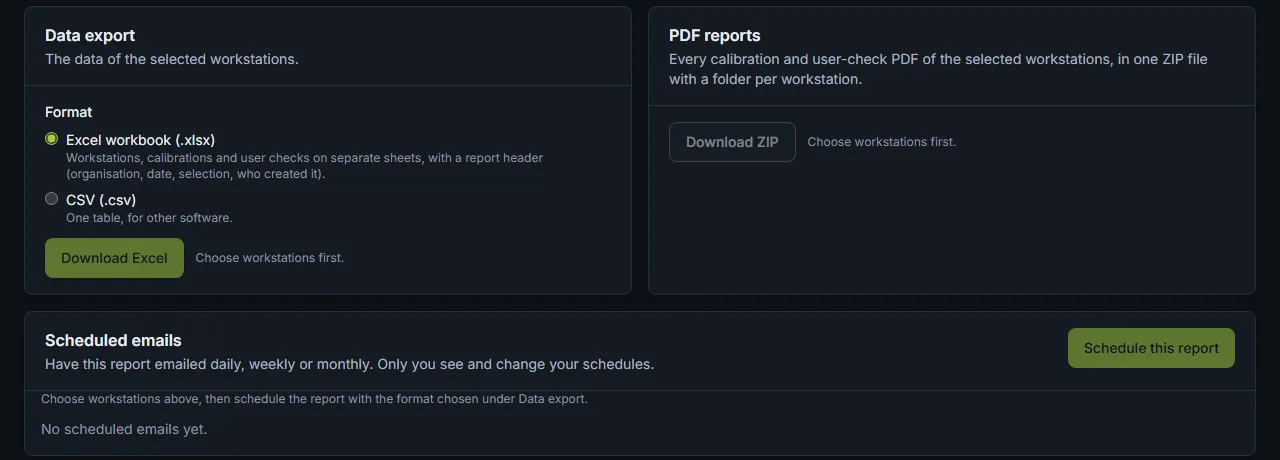
- Exports to Excel or CSV, and every PDF of the selected workstations in one ZIP file
- Report emails on a daily, weekly or monthly schedule
- History of each record, with comments and attachments
Manage users, licences and support
Give each person the access they need, see where every licence is in use, and get help from your distributor when you want it.
Details
- Roles for administrators, technical staff and view-only users
- Two-factor authentication
- Licences per workstation: see which computer each one is on, and release it to reuse it
- Optional help from your distributor, with every visit recorded in your access log
DICOM, AAPM, ACR, RANZCR, RCR and DIN are referenced for their published standards and guidance. These references don’t imply certification or endorsement of ViziCAL by those organisations.