Technical: Licences
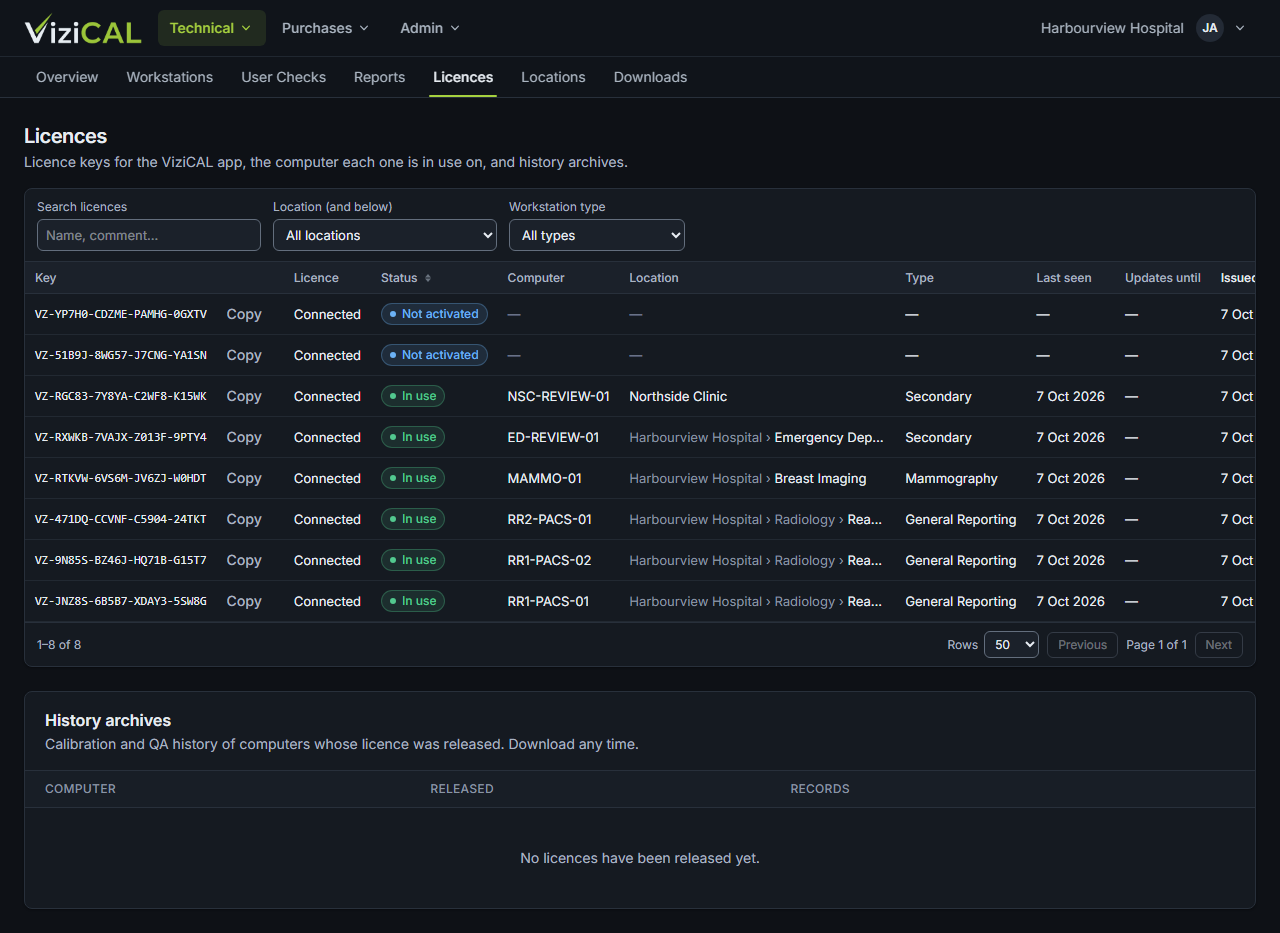
Use this page to see your organisation's licence keys, which computer each one is in use on, and to release a licence.
Open Technical → Licences.
The licences list
Each licence shows its key, the workstation it's in use on (or Not activated) and Updates until: the date until which you get new versions of the app. Click the copy button next to a key to copy it.
Search for a licence with Search licences.
Release a licence
Release a licence when a computer is replaced or no longer used, so you can activate the licence on another computer.
- Find the licence.
- Click Release.
- Read the message and click Release licence.
Releasing a licence
The computer's calibration and QA history is saved to a ZIP archive and emailed to your Customer Admins, then removed from your web account. The ViziCAL app on that computer stops reporting, and its displays are no longer calibrated.
You can also release a licence from the computer itself. See Licensing.
History archives
History archives lists the calibration and QA history of each computer whose licence was released. Click Download ZIP to download one. It can show Preparing… for a short time after the licence is released.