Purchases: Shop
Use this page to buy workstation licences and photometers, and to switch on the web service for your organisation.
Open Purchases → Shop. You need the Customer Admin role.
What you can buy
| Product | What it is |
|---|---|
| Workstation Licences | One for each workstation, at one price per workstation. Larger organisations can ask for volume pricing on the public Pricing page. |
| ViziCAL X-Rite Photometers | Measures your displays and reading room. Cheaper each when you buy several in one order. |
| ViziCAL X-Rite Photometers – Carton of 24 | Not bought in the shop: click Request bulk pricing (see Request bulk pricing). |
| Web service connection | Keeps every workstation's results and reports in your web account. Shown only while the web service is off for your organisation. |
See Licensing for help choosing.
Prices are in your organisation's currency, which is set by its country.
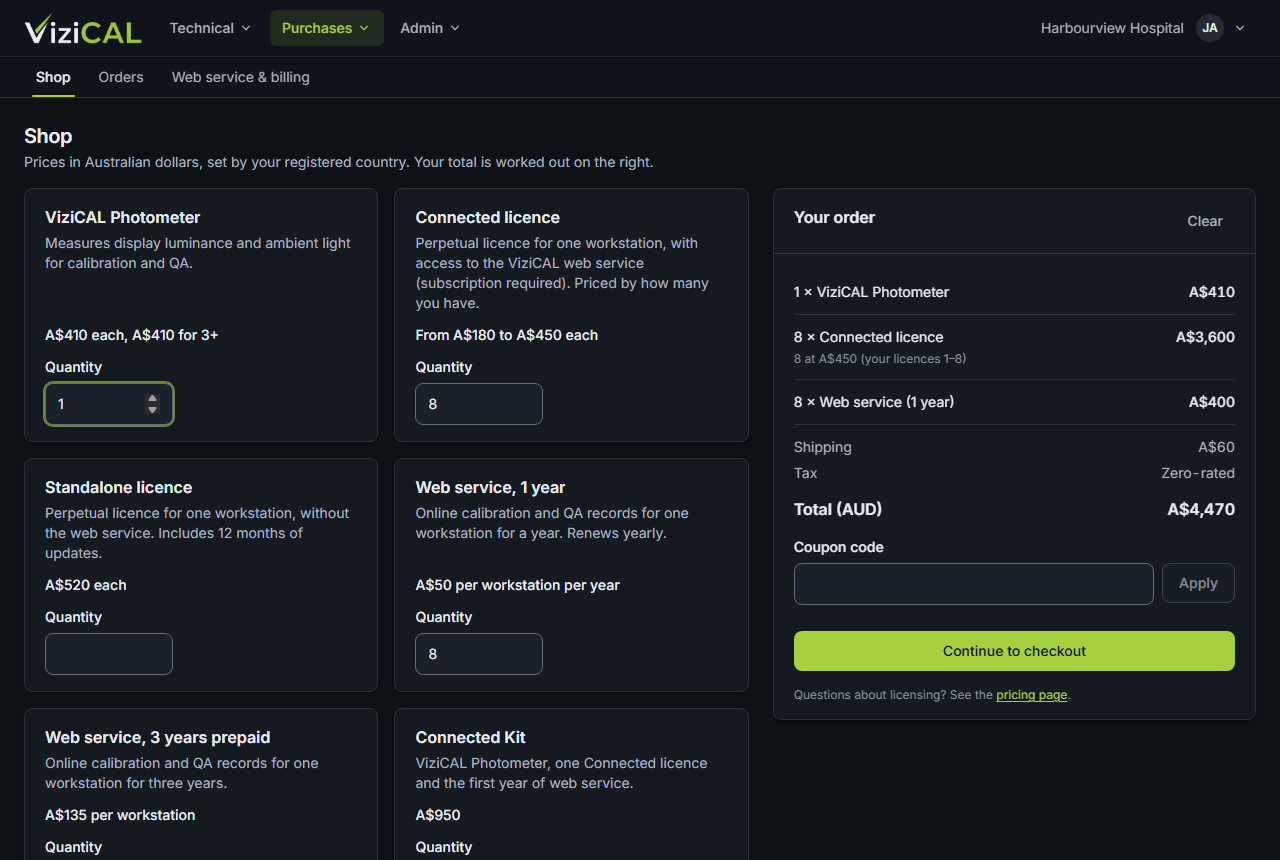
Buy licences or photometers
- Type a Quantity for each product you want. Your order is worked out on the right.
- If you have a coupon, type it in Coupon code and click Apply.
- Click Continue to checkout.
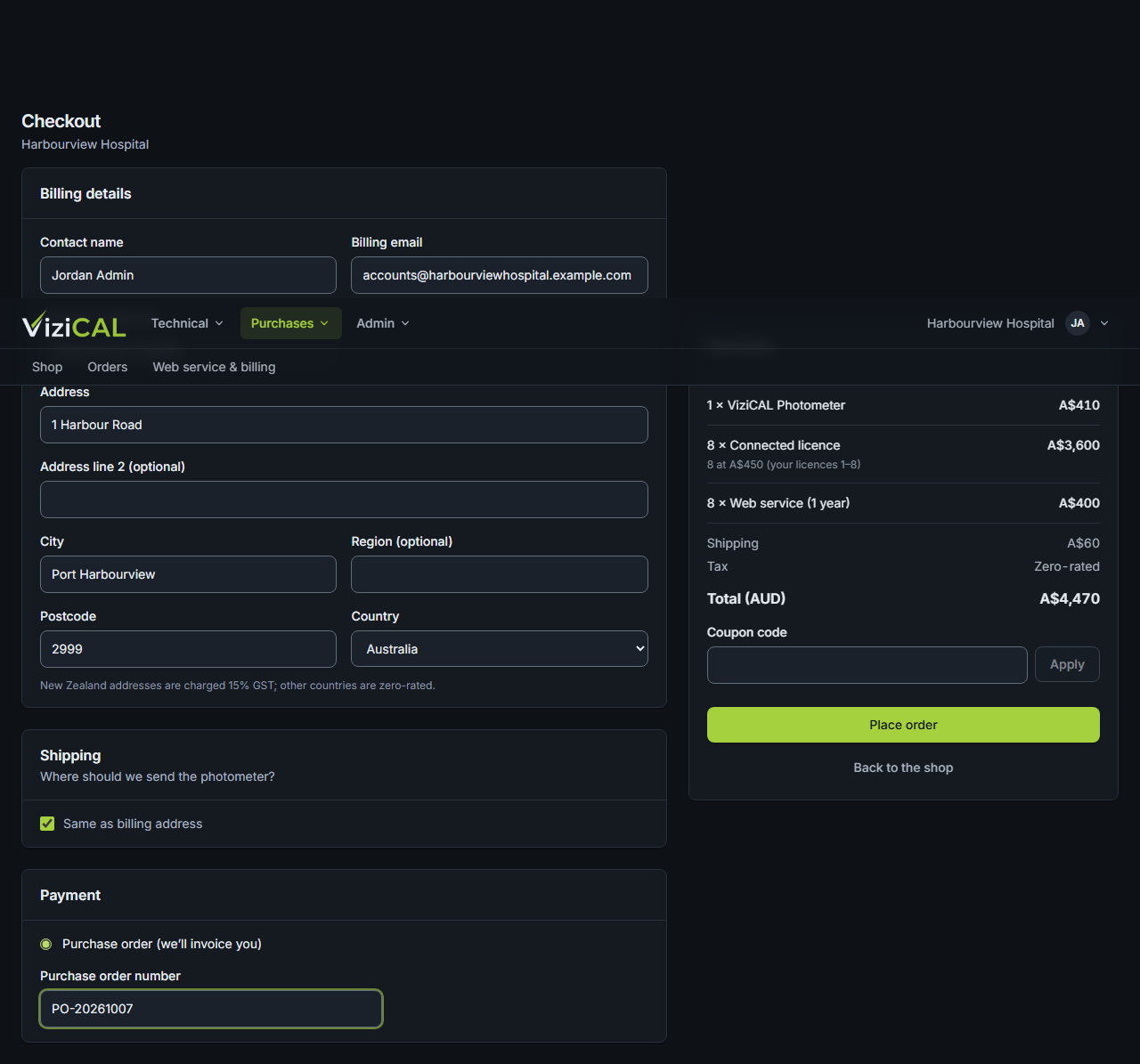
- Check your Billing details. If you're buying photometers, fill in Shipping, or tick Same as billing address.
- Under Payment, choose Card (secure payment with Stripe) or Purchase order (we'll invoice you). For a purchase order, type its number.
- Click Pay by card (you then pay on a secure Stripe page) or Place order.
Request bulk pricing
Photometers by the carton of 24 are priced on request.
- On the ViziCAL X-Rite Photometers – Carton of 24: request bulk pricing card, click Request bulk pricing.
- Check your name, email and phone. They're filled in from your account.
- Add any Notes, for example how many cartons you need.
- Click Confirm, or Cancel to close without sending.
The card says Bulk pricing request sent, and you get a copy by email. We'll email you our bulk pricing.
Switch on the web service
The web service is on or off for your whole organisation. There's no quantity to choose.
- On the Web service connection card, click Switch on web service.
- Read the message and click Switch on.
There's nothing to pay when you switch it on. A year later you're invoiced for the workstations using a licence, and it renews every year after that. See Web service & billing.
Once the web service is on, the card disappears from the shop. Your order says when it renews.
Your organisation's coupon
If your organisation has its own coupon, it's applied to every order automatically. You don't need to type it.
- At the top of the shop, a message says Your coupon … is applied automatically, with the discount.
- In Your order, the coupon and its discount are shown above the total.
To use a different coupon for one order, type it in Coupon code and click Apply. After a coupon is applied, you can click Apply this coupon automatically to future orders to make it your organisation's coupon.
What you'll see
The order page says Order placed and you get a confirmation email. New licences appear in Technical → Licences. If you paid by card, the order shows Paid within a minute.
New Zealand addresses are charged 15% GST. Other countries are zero-rated.
Common problems
- The shop says online payment isn't available for this account yet
- Contact us or your distributor to order.
- Card payment was cancelled
- Your cart is still there. Try again, or choose a purchase order.
- Your cart has a product that isn't sold any more
- Clear your order and add the products again.
- Your organisation's coupon isn't applied
- It may have expired, or been used as many times as it allows. Contact your distributor or MyXrayDose support.