Technical: Overview
Use this page to see how your organisation's workstations are doing at a glance.
Open Technical → Overview.
What you'll see
The summary at the top shows:
- Licensed workstations: computers with the ViziCAL app activated.
- Heartbeat in the last 7 days: how many of them sent a status update in the last week. A workstation that hasn't may be switched off, or ViziCAL Apply may not be running.
- User checks overdue: displays past their visual check interval.
- Workstations with overdue checks.
- Licences free to use: licences not yet activated on a workstation.
- Days until web service renewal: when your web service renews. It says Web service is off if it isn't on.
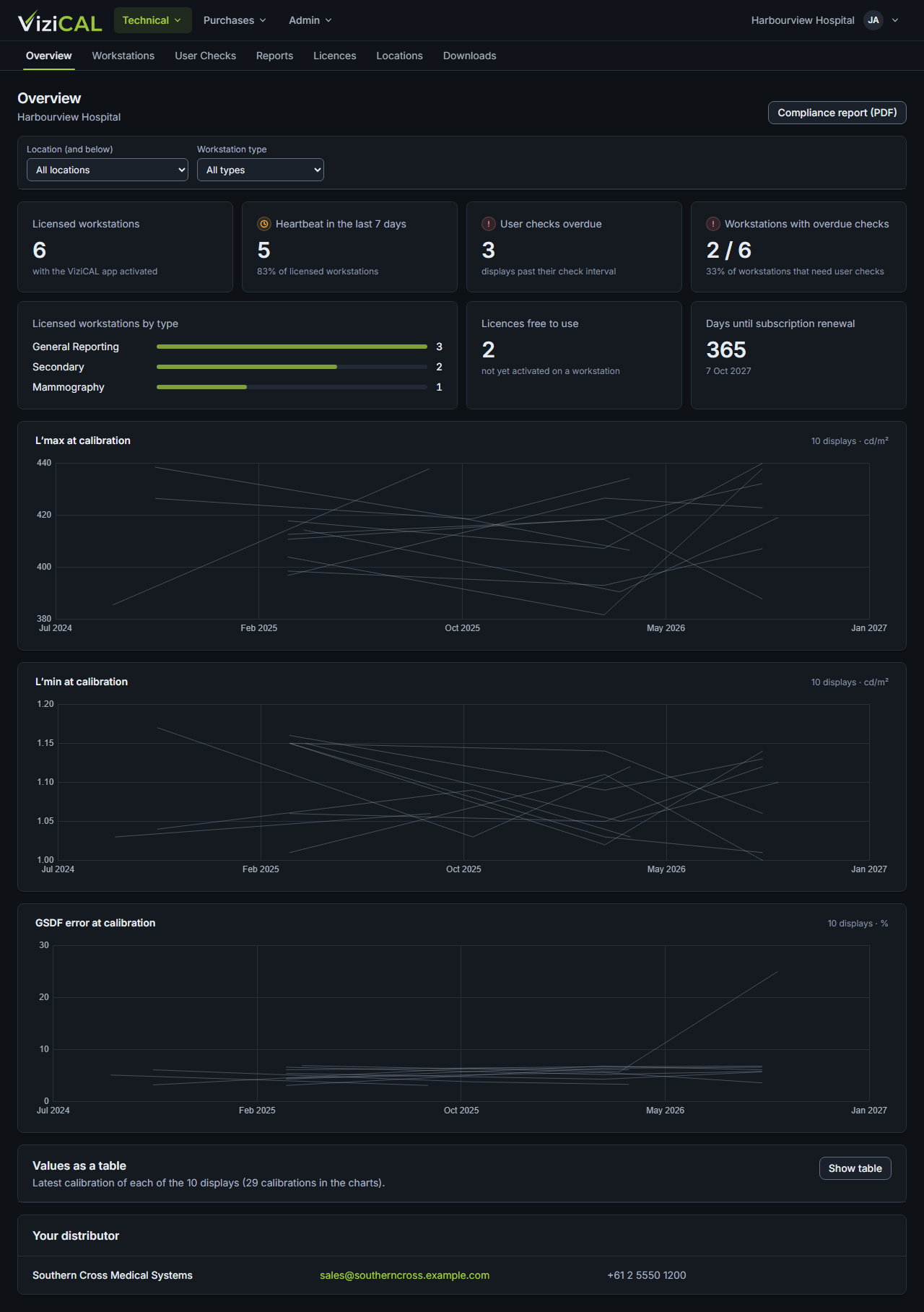
Licensed workstations by type shows how many workstations you have of each workstation type.
Calibration trends shows L′max, L′min and GSDF error at each calibration, one line per display. Click Values as a table to see the latest values for every display.
If you buy through a distributor, Your distributor shows their contact details.
Download a compliance report
Click Compliance report (PDF) to download a report of your workstations' calibration and check status, for audits.